

Choosing between a refurbished MacBook and a new MacBook can feel overwhelming. You want high performance, reliability, and value for your money. But is it smarter to buy new, or can a professionally refurbished MacBook meet your needs just as well? Many buyers worry about hidden risks, warranty limitations, and future-proofing. This article gives you a clear, detailed comparison—using real data, practical examples, and expert advice—to help you make the best decision for your needs, budget, and peace of mind.
The Refurbished Vs New Macbook Debate
MacBooks are popular for their build quality, macOS stability, and long-lasting performance. But they are also expensive, especially if you want the latest features or models. Refurbished MacBooks, often sold by Apple or certified retailers, promise similar reliability for less money. So, what’s the catch? Let’s break down what each option offers, and what you should expect in 2024.
What Is A Refurbished Macbook?
A refurbished MacBook is a laptop that was previously owned, returned, or used as a demo, then restored by Apple or authorised partners. It undergoes a full inspection, repairs, and cleaning. Defective parts are replaced. Each MacBook is tested to meet Apple’s standards.
Apple’s official refurbished store offers these devices with a one-year warranty and fresh battery. Other retailers may offer their own guarantees. Refurbished MacBooks are not just “used” laptops; they are restored to a nearly new state.
Refurbishment involves several steps. First, technicians check for hardware issues—like screen, keyboard, trackpad, and internal components. If any part fails the test, it is replaced with a new or certified component. The battery is checked for capacity and replaced if below standard.
Devices are also wiped clean, both inside and outside, and software is reset to factory settings. After all repairs, the MacBook undergoes a final quality test to confirm it meets Apple’s standards.
A common misconception is that refurbished means “second-hand. ” In reality, Apple’s process is much stricter. For example, even minor faults (like a sticky key or weak battery) trigger replacement. The packaging is also new, with genuine cables and chargers included.
For buyers, this means you get a device that looks, works, and feels almost new, but at a lower price.
What Is A New Macbook?
A new MacBook is a factory-fresh device. It comes with the latest hardware, untouched by previous users. Buyers get a full one-year warranty (extendable via AppleCare+), access to all new features, and assurance that every part is original.
The new MacBook lineup includes the MacBook Air M2, MacBook Pro M2/M3, and other models—each with current-generation processors, improved screens, and upgraded ports.
When you buy new, you receive the full retail packaging. The device has zero history and no risk of wear or previous repairs. This matters for buyers who want maximum longevity, especially if planning to use the laptop for 5–7 years.
New models are also first to get software updates, and may feature exclusive hardware improvements not yet seen in refurbished stock.
For example, the MacBook Pro M3 (2023) introduced new display technology and improved battery life. If you buy new, you will be among the first to experience these enhancements. Many business users and creative professionals prefer new to guarantee the longest possible support window and the best physical condition.
Price Comparison: How Much Can You Save?
Price is often the biggest factor in this decision. Let’s compare the costs for the same model, using real UK pricing.
| Model | New Price (£) | Refurbished Price (£) | Typical Savings (%) |
|---|---|---|---|
| MacBook Air M2 (256GB) | 1,149 | 949 | 17% |
| MacBook Pro M2 (512GB) | 1,749 | 1,419 | 19% |
| MacBook Pro M3 (1TB) | 2,299 | 1,899 | 17% |
Refurbished MacBooks typically save you 15–20%. Sometimes, savings reach 25% on older models or configurations. However, availability depends on returned stock.
Key insight: Refurbished pricing is not always consistent—popular models sell out quickly, and discounts vary. If you are flexible about colour, specs, or release year, you can maximise savings.
Another detail to consider: while refurbished models offer direct savings, you might also find seasonal deals or student discounts on new MacBooks. Sometimes, Apple bundles new purchases with free accessories or software. For example, during back-to-school promotions, new MacBooks may come with discounted AirPods or AppleCare+. This can narrow the price gap, so always check for current offers.
Refurbished MacBooks also tend to drop in price as new models are released. If you are not concerned about owning the absolute latest, waiting for a new MacBook launch can make refurbished models even more affordable. For instance, when the M3 chip was released, refurbished M1 and M2 MacBooks became more common and less expensive.
Warranty, Support, And Peace Of Mind
Apple’s Refurbished Warranty
Apple offers a one-year warranty on refurbished MacBooks, identical to new devices. Buyers can purchase AppleCare+ to extend protection for up to three years. This covers hardware failures, battery issues, and accidental damage (with a fee).
Third-party sellers may offer shorter warranties, usually 3–12 months. Always check the terms before buying.
Apple’s warranty covers most hardware issues, including screen faults, keyboard failures, and battery problems. If your refurbished MacBook has a serious defect, Apple will repair or replace it, often with little hassle. You also get access to Apple’s service centres and Genius Bar, so repairs are handled quickly and professionally.
Some buyers worry that warranty claims will be treated differently for refurbished devices. In reality, Apple’s approach is the same—refurbished customers receive equal support. You can also buy AppleCare+ at any time within 60 days of purchase, which extends warranty and adds accidental damage coverage.
New Macbook Warranty And Support
Every new MacBook comes with the standard one-year Apple warranty, plus 90 days of free tech support. AppleCare+ is optional, extending coverage and adding accidental damage protection.
Non-obvious insight: Apple’s support for refurbished devices is the same as for new devices. Refurbished buyers can access Genius Bar, online support, and software updates.
New MacBooks also benefit from Apple’s “express replacement” service. If your device needs repair, Apple may send you a replacement before you return the faulty unit. This is especially helpful for business users who cannot afford downtime.
A small but important detail: new MacBooks sometimes qualify for extended warranty offers during certain promotions (like holiday sales). This can give you extra peace of mind if you buy at the right time.
Warranty Table
| Device Type | Apple Warranty | AppleCare+ Option | Support Access |
|---|---|---|---|
| New MacBook | 1 Year | Yes (up to 3 Years) | Full |
| Refurbished MacBook (Apple) | 1 Year | Yes (up to 3 Years) | Full |
| Refurbished MacBook (Third-Party) | 3–12 Months | Rarely | Usually Partial |
Be cautious: some third-party sellers use the word “warranty” loosely. Always read the fine print—some only cover parts, not labour, or exclude accidental damage. Reliable retailers will specify if their warranty matches Apple’s standards.
Performance And Hardware Quality
Refurbished Macbook Performance
Refurbished MacBooks from Apple are restored with original parts or Apple-certified replacements. Each device is tested for performance, battery health, and screen quality. Batteries are replaced if they don’t meet Apple’s standards.
Most refurbished MacBooks are less than two years old, often featuring M1 or M2 chips. These processors are fast, efficient, and support macOS updates for years.
Non-obvious insight: Refurbished MacBooks sometimes have minor cosmetic blemishes (tiny scratches or dents), but these do not affect performance.
Performance tests, like Geekbench or Cinebench, show negligible differences between refurbished and new MacBooks of the same model. Battery life is also comparable, as Apple replaces weak batteries. For most users—students, office workers, and home users—a refurbished MacBook will feel just as fast and reliable as new.
If you buy from a third-party retailer, always check whether they have replaced the battery and SSD. Some sellers only inspect, not replace, so you could get a device with reduced battery cycles or a worn SSD. Apple-certified refurbished is safest for hardware quality.
New Macbook Performance
New MacBooks are guaranteed to have the latest hardware, such as M3 chips, new display panels, and improved ports. There is zero wear and tear. You are assured of maximum battery cycles, highest SSD health, and optimal thermal performance.
If you need top speed, graphics, or memory for tasks like video editing, coding, or gaming, a new MacBook offers the latest advancements.
Another advantage: new MacBooks are first to support new features in macOS. For example, Apple often releases software updates that use new chips or hardware for improved performance. Professionals who rely on speed, high-resolution screens, or advanced ports will benefit from buying new.
Hardware Comparison Table
| Feature | New MacBook | Refurbished MacBook |
|---|---|---|
| Processor | Latest Generation | Previous or Latest |
| Battery Health | 100% (0 cycles) | 80–100% (Replaced if low) |
| Display Quality | Pristine | Tested, may have minor marks |
| SSD Health | Brand New | Tested, may have used cycles |
| Physical Condition | Perfect | May have tiny blemishes |
A practical tip: if you plan to use your MacBook for heavy workloads (like video editing or 3D rendering), always check the chip version and RAM. Refurbished models with max specs are rare and sell quickly. If you need high-end specs, new is usually more available.
Availability And Choice
Refurbished Macbook Availability
Refurbished MacBooks depend on returned stock. Models, colours, and specs change daily. If you want a specific configuration (like 16GB RAM, 1TB SSD, Space Grey), you may have to wait or check often.
Apple’s refurbished store updates at random times. Some buyers use browser alerts to catch new listings.
You can also sign up for email notifications or use browser extensions to monitor refurbished stock. Be prepared to act fast—popular models, especially MacBook Air M2 or MacBook Pro with large SSD, disappear quickly.
If you’re not particular about colour or specs, you can often find good deals. But if you need a very specific configuration (such as a certain language keyboard, max RAM, or rare colour), new is more reliable.
New Macbook Availability
New MacBooks are available in all configurations, colours, and locations. You can customise RAM, storage, and accessories online or in-store. Delivery is usually fast—next day or within a few days.
Key insight: If you need a MacBook urgently, new is often easier. If you are flexible and patient, refurbished can offer bigger savings.
Retail stores often carry stock, so you can pick up a new MacBook same day. Online orders allow you to customise storage, memory, or even pre-install software. For buyers with tight deadlines, new MacBooks eliminate waiting and stock uncertainty.
Environmental Impact: Sustainability Matters
Buying refurbished is not just about saving money; it’s about reducing electronic waste. Apple’s refurbishment process keeps devices out of landfills and lowers the carbon footprint.
According to Apple’s 2023 Environmental Progress Report, using refurbished devices saves up to 80% of the energy needed to make a new laptop. It also reduces demand for mining raw materials.
Non-obvious insight: Refurbished MacBooks are often eligible for Apple’s recycling and trade-in programmes. This means you can upgrade later, just like new buyers.
Eco-conscious buyers often overlook this benefit. By choosing refurbished, you help conserve resources and reduce pollution. Apple’s refurbishment process also ensures that returned devices are reused, not scrapped. This is a practical way to make your tech purchase more sustainable.
Additionally, if you later upgrade to a new MacBook, you can trade in your refurbished device for credit. Apple’s trade-in values are similar for refurbished and new models, as long as the device is in good working condition.
Software Updates And Macos Compatibility
Both new and refurbished MacBooks receive macOS updates, security patches, and feature improvements. Apple supports devices for 5–7 years after release. For example, the MacBook Air M1 (2020) will likely get updates until 2027 or later.
Check the release year of any refurbished MacBook. If it is older than 4–5 years, it may have a shorter software lifespan. Always verify compatibility with the latest macOS before purchasing.
Long-tail keyword: “macOS compatibility for refurbished MacBook”
A practical tip: You can check the macOS compatibility of any model on Apple’s website. If you buy a refurbished MacBook from 2021 or newer, you are almost guaranteed support for the next 5 years. Older models may be cheaper but could lose new features or security patches sooner.
Buying Channels: Where Should You Purchase?
Apple’s Refurbished Store
Apple’s own refurbished store is the safest channel. Devices are fully tested, cleaned, and packaged with new cables and boxes. Warranty and support match new devices.
Apple also offers a simple return policy. If you are unhappy with your refurbished MacBook, you can return it within 14 days for a full refund. This reduces risk, especially for buyers new to refurbished products.
Authorised Third-party Retailers
Some retailers (like John Lewis, Currys, or Back Market) sell refurbished MacBooks with their own warranties. Prices may be lower, but check the warranty length, condition grade, and return policy.
Back Market, for example, grades devices (Excellent, Good, Fair) and offers a 12-month warranty. However, standards vary—always check battery cycles, SSD health, and whether accessories are included.
Private Sellers And Unauthorised Channels
Buying from private sellers (eBay, Gumtree) is risky. Devices may not be fully tested, have hidden issues, or lack warranty. Only buy if you trust the seller and can inspect the device yourself.
Many private sales do not include original chargers, cables, or packaging. Without warranty, repairs can be expensive. If you choose this route, always ask for battery health, macOS version, and proof of purchase.
Key Buying Factors: What Should You Consider?
When deciding between refurbished and new, focus on these criteria:
- Budget: If saving money is your priority, refurbished offers significant discounts.
- Urgency: Need a laptop today? New has more availability.
- Latest Features: Want the newest chip, screen, or ports? Buy new.
- Longevity: New models last longer before becoming outdated.
- Environmental Impact: Refurbished is greener.
- Warranty and Support: Apple refurbished matches new, third-party varies.
- Condition: Refurbished may have minor marks; new is flawless.
- Customisation: New offers more choices for RAM, SSD, colour.
Think carefully about your main needs. For example, if you are a student with a limited budget, refurbished makes sense. If you are a professional who relies on maximum speed and reliability, new is worth the investment.
Real-world Examples: Who Should Choose Which?
Refurbished Macbook: Smart Buyer Profiles
- Students: Need a reliable laptop for studies, but want to save money. Refurbished MacBook Air M1/M2 is perfect.
- Remote Workers: Require portability and performance, but not the very latest specs.
- Environmentally Conscious Buyers: Prefer reducing electronic waste.
A non-obvious example: Many teachers and freelancers buy refurbished MacBooks to equip their home office. The savings let them invest in accessories, like external monitors or USB hubs.
New Macbook: Smart Buyer Profiles
- Professional Creators: Video editors, designers, and coders need maximum speed and future-proofing.
- Business Users: Want guaranteed support and the latest features.
- Early Adopters: Want the newest model, chip, or colour.
For example, a creative agency might buy new MacBook Pros for their staff to ensure top performance and long support cycles. Early adopters often choose new models for exclusive features, like improved FaceTime cameras or MagSafe charging.
Common Mistakes To Avoid
- Ignoring Warranty Terms: Not all refurbished sellers offer Apple-level support.
- Buying Old Models: Refurbished MacBooks older than 4–5 years may soon lose macOS support.
- Assuming All Refurbished Are Equal: Apple-certified is safer than third-party or private sellers.
- Missing Hidden Costs: Some refurbished deals lack accessories or have extra shipping fees.
- Not Checking Battery Health: Always ask for battery cycle count or replacement status.
Another frequent mistake: Some buyers forget to check for keyboard layout (especially if buying internationally). Always confirm specs match your needs before purchasing.
Long-term Value And Resale
MacBooks keep their value better than most laptops. New models are easier to resell later, but refurbished MacBooks also have strong resale demand if kept in good condition.
Long-tail keyword: “MacBook resale value after refurbishment”
If you plan to sell your MacBook after a few years, keep it in good condition. Buyers will pay more for devices with low battery cycles and minimal cosmetic marks. Apple-certified refurbished models tend to sell well because buyers trust the original refurbishment process.
Data: Refurbished Macbook Satisfaction Rates
According to a 2023 survey by Consumer Reports, 87% of Apple refurbished buyers reported satisfaction equal to new device owners. Only 6% had minor cosmetic complaints, and less than 2% experienced hardware issues in the first year.
This shows that refurbished MacBooks are a safe, reliable choice for most buyers. Satisfaction rates are high because Apple’s standards are strict and support is strong.
Actionable Advice: Making Your Final Decision
Ask yourself these questions:
- Do you need the latest hardware for demanding tasks?
- Are you comfortable with minor cosmetic marks?
- Is saving £200–£400 important for your budget?
- Are you willing to wait for the right refurbished model to appear?
- Do you want maximum environmental sustainability?
If you answer “yes” to most, refurbished is your smarter choice. If you need flawless condition, latest features, or urgent delivery, new is the way to go.
A practical tip: Make a list of your must-have features and your budget. Check Apple’s refurbished store daily for deals. If you find your ideal model, act fast—it may not last.
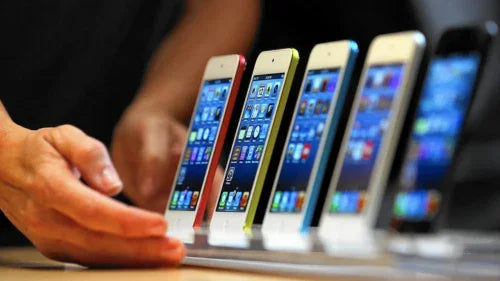
Credit: techpros.co.uk
Internal Linking Ideas
- “Best MacBook Models for Students in 2024”
- “AppleCare+ Explained: Is It Worth It for MacBook Owners?”
- “How to Check MacBook Battery Health Before Buying”
Suggested Low-competition Keywords
- Refurbished MacBook Air M2 UK
- Apple-certified refurbished MacBook Pro
- MacBook battery health check
- MacOS compatibility for refurbished MacBook
- MacBook resale value after refurbishment

Credit: www.reddit.com
Frequently Asked Questions
What Is The Difference Between Refurbished And New Macbook?
The main difference is that a refurbished MacBook was previously owned or used, then restored, tested, and resold. A new MacBook is factory-fresh, never used. Refurbished models may have minor cosmetic marks but are fully functional and covered by warranty.
Can Refurbished Macbooks Run The Latest Macos?
Yes, most refurbished MacBooks (especially M1 or newer) are compatible with the latest macOS. Always check the release year; older models may lose software support sooner.
Is Buying Refurbished Macbook Safe?
Buying from Apple’s official refurbished store or reputable retailers is safe. Devices are fully tested and come with warranty. Avoid private sellers unless you can verify device condition and history.
Are Refurbished Macbooks Covered By Applecare+?
Apple offers AppleCare+ for both new and refurbished MacBooks, allowing you to extend warranty and add accidental damage protection. Third-party sellers rarely offer AppleCare+.
How Much Money Can I Save With A Refurbished Macbook?
Savings depend on model and configuration. Typical discounts are 15–20%, sometimes reaching 25% on older models. Compare prices before deciding.
Final Thoughts
Choosing between a refurbished and new MacBook depends on your priorities. If you value savings, environmental impact, and are happy with minor marks, refurbished is the smarter choice. If you need the latest features, flawless condition, or urgent delivery, new is best.
Both options offer strong warranty and support when bought from trusted sources. Use the data, comparisons, and expert advice in this guide to decide confidently for your needs.
For more details on Apple’s refurbishment process, visit the Apple Refurbished Store.
Your next MacBook should be a tool, not a worry. Make your choice with clarity—and enjoy the best of macOS, whichever path you take.

Credit: www.pcliquidations.com
 MacBook Gear