

Is Apple Silicon Better Than Intel For Long Term Use
When Apple announced the shift from Intel processors to its own Apple Silicon chips in 2020, many users wondered how this would change the future of Mac computers. The move was bold, ending a 15-year partnership with Intel and introducing a new architecture, starting with the M1 chip. As time passes, the question becomes more important: Is Apple Silicon truly better than Intel for long-term use?
This question affects different types of users. Students, professionals, and businesses want to know if investing in an Apple Silicon Mac will give better value and performance over several years. Meanwhile, those with older Intel Macs wonder if it’s worth upgrading or sticking with their current machines.
The answer is not simple; it depends on many factors like performance, compatibility, software support, repairability, upgradability, and how well these machines age over time.
This article takes a deep look at all these areas. We’ll compare Apple Silicon and Intel Macs across hardware, software, and user experience. Real-world examples, data, and expert insights will help you decide which is the better choice for long-term use.
Understanding Apple Silicon And Intel Macs
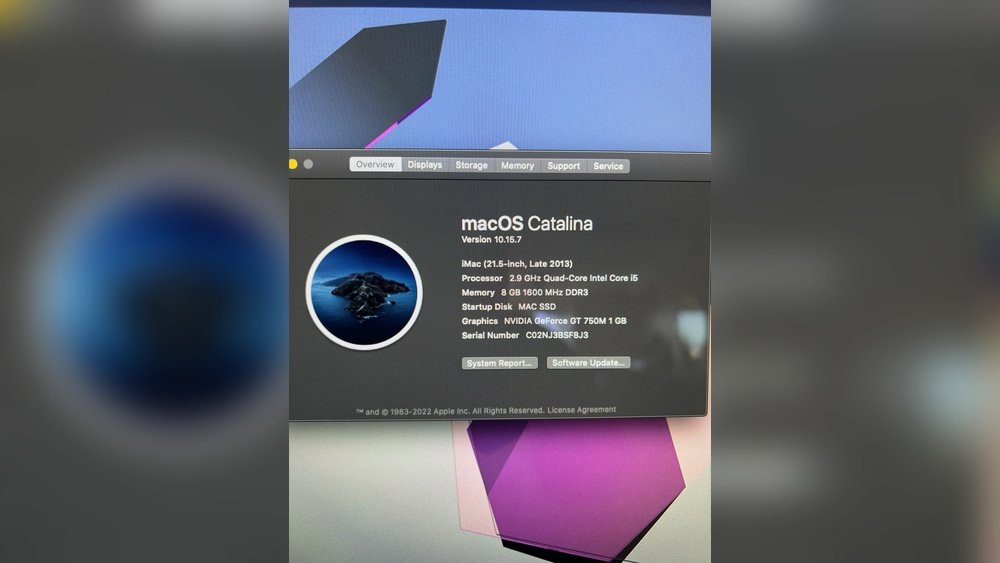
Apple Silicon refers to the custom processors designed by Apple, using ARM architecture. The first chip, M1, was released in late 2020, followed by M1 Pro, M1 Max, M1 Ultra, and the newer M2 and M3 series. Before this, all Macs used Intel x86 chips, which were common in most PCs and laptops.
The change is not just about the processor, but also about how the whole computer works. Apple Silicon integrates CPU, GPU, RAM, and other components on one chip. This design is called System on a Chip (SoC), which brings many benefits and some challenges.
Performance Over Time
Cpu And Gpu Speed
One of the biggest selling points for Apple Silicon is speed. Right after its release, the M1 chip surprised many with its high performance and efficiency. Benchmarks showed that entry-level M1 Macs could outperform many high-end Intel Macs, even with basic cooling and lower power use.
Here’s a quick look at how Apple Silicon and Intel compare in real-world tasks:
| Task | Apple M1 MacBook Air (2020) | Intel MacBook Air (2020, i5) |
|---|---|---|
| Geekbench 5 (Single-core) | 1,700 | 1,120 |
| Geekbench 5 (Multi-core) | 7,400 | 2,800 |
| Final Cut Pro 4K Export (5 min video) | ~4 min | ~8 min |
The numbers show a clear lead for Apple Silicon, especially in multi-core tasks and creative work like video editing. This higher baseline performance means Apple Silicon Macs are likely to stay “fast enough” for longer, making them a better investment for the future.
Efficiency And Thermal Management
Apple Silicon chips use much less power than similar Intel processors. They generate less heat, which means fans run less often and the device stays cooler. Over time, lower heat means less stress on internal parts, potentially making the machine last longer.
Intel Macs, especially in slim laptops, often throttle performance to avoid overheating. This can make them slow down faster as they age, especially if dust builds up or thermal paste dries out.
Real-world Longevity
A key insight: A fast computer today stays usable longer. If a computer starts out slow, it will feel outdated sooner as software demands increase. Apple Silicon’s strong performance gives it more “headroom” for future updates and applications.
However, some high-end Intel Macs (like the 16-inch MacBook Pro with i9) are still powerful. For very specific professional needs, they may perform well for years, but most users will see Apple Silicon age better.

Credit: www.reddit.com
Software Support And Compatibility
Macos Updates
Apple typically supports Macs with new macOS versions for about 6-7 years after their release. However, the switch to Apple Silicon changes this pattern.
- Apple Silicon Macs are guaranteed to get the latest macOS features and updates for many years. Apple is focusing its development on the new architecture.
- Intel Macs are already losing access to some new features. For example, macOS Sonoma (2023) dropped support for some older Intel models and limited features like FaceTime Reactions to Apple Silicon only.
This trend will continue. Over time, Intel Macs will stop getting security updates and new features, making them less secure and less capable.
App Compatibility
When Apple first launched Apple Silicon, many apps were built for Intel. Apple used Rosetta 2, a translation layer, to run Intel apps on Apple Silicon. This works surprisingly well for most apps, but it’s not perfect. Over the last three years, most major apps now offer “universal” versions that run natively on Apple Silicon.
However, there are still some cases where:
- Specialized apps (like certain scientific, engineering, or legacy business software) work only on Intel Macs.
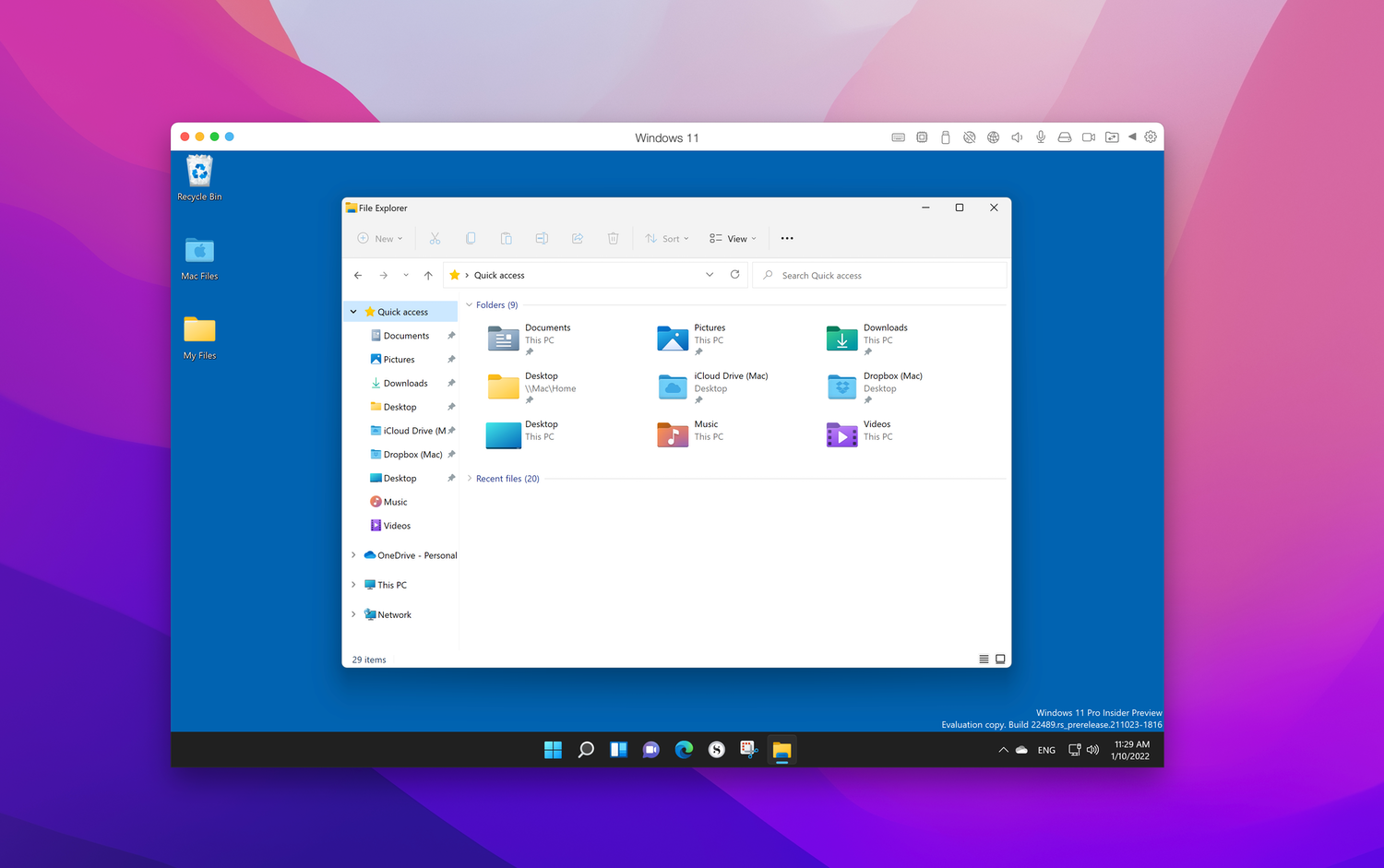
- Windows compatibility is better on Intel Macs, since you can run Windows via Boot Camp. Apple Silicon Macs can only use virtual machines (like Parallels), which have some limitations.
If you rely on rare or older software, Intel may still have an edge. For general use, Apple Silicon offers better long-term compatibility with future apps and macOS updates.
Ios And Ipad App Support
One major benefit of Apple Silicon is the ability to run iPhone and iPad apps directly on your Mac. This can be helpful for users who want access to mobile apps on their desktop, something Intel Macs cannot do.
Hardware Reliability And Repairability
Build Quality And Durability
Apple has always been known for strong build quality, but the Apple Silicon transition brought some changes. Because more components are integrated onto the chip (CPU, GPU, RAM), there are fewer separate parts that can fail. This can improve reliability because there are fewer points of failure, but it also has downsides.
- If the SoC fails, the whole logic board must be replaced. In Intel Macs, you could sometimes replace or repair individual parts.
- RAM and storage are soldered on Apple Silicon Macs, meaning you can’t upgrade or replace them later.
Most Apple Silicon Macs are extremely reliable, but if something does fail, repairs are often more expensive and sometimes impossible outside Apple’s service network.
Upgradability
Older Intel Macs (especially desktops like the 27-inch iMac or the Mac Pro) allow users to upgrade RAM, storage, and sometimes even the graphics card. This flexibility can extend the useful life of the machine, especially for power users.
Apple Silicon Macs are not upgradable. What you buy is what you keep. If you choose low storage or RAM, you’re stuck with it. This means you should consider your future needs more carefully when buying an Apple Silicon Mac.
Repair Costs And Right To Repair
Because Apple Silicon Macs are more integrated, repair costs can be higher. Independent repair shops have more trouble fixing these machines due to proprietary parts and software locks. This can be a problem if you plan to keep your Mac for many years and want affordable repairs.
Intel Macs, especially older ones, are easier to repair and have more available spare parts. However, as time passes, Apple and third-party suppliers will stop supporting these models, making repairs harder for both platforms.
Battery Life And Power Efficiency
One of the most striking differences is battery life. Apple Silicon Macs offer much longer battery life than any Intel Mac ever did. For example:
- M1 MacBook Air: Up to 18 hours of web browsing or video playback
- Intel MacBook Air (2020): 8-10 hours in similar conditions
This big improvement comes from the efficiency of the ARM architecture. Over time, a laptop with better battery life stays useful longer, especially as batteries naturally lose capacity with age. If you plan to keep your laptop for many years, starting with a bigger battery cushion is a major advantage.
A non-obvious insight: Apple Silicon’s efficiency also means less heat and less battery wear over time. This can help the battery last longer before it needs replacement.
Security And Privacy
Apple Silicon introduces security features that are not possible on Intel Macs. For example:
- Secure Enclave: A dedicated part of the chip that stores sensitive data like passwords and Face ID/Touch ID information.
- Hardware-verified boot: The system checks itself at startup to prevent malware from loading before macOS.
Intel Macs have some security features, but not at the same hardware level. Apple is focusing its new privacy and security updates on Apple Silicon, making it the safer choice for the future.
Ecosystem Benefits
Apple Silicon brings the Mac closer to the iPhone and iPad experience. This means:
- Handoff, Universal Clipboard, and AirDrop work faster and more reliably.
- Sidecar (using iPad as a second screen) is smoother.
- Developers can write apps for all Apple devices at once.
These ecosystem features will continue to grow, but Apple is investing in Apple Silicon first. Intel Macs will miss out on future ecosystem improvements.
Cost And Value Over Time
Purchase Price And Resale Value
When Apple Silicon Macs first launched, prices were similar to Intel models. However, because they offer more performance and battery life, the value for money is much higher. Over time, Apple Silicon Macs are keeping their resale value better than Intel Macs.
For example, a used M1 MacBook Air (2020) sells for about 60-70% of its original price after 3 years. A similar Intel MacBook Air (2020) usually sells for less than 50%. This means you lose less money if you upgrade in the future.
Total Cost Of Ownership
Apple Silicon Macs save money in the long run:
- Lower power use means lower electricity bills.
- Longer battery life means fewer replacements.
- Fewer slowdowns mean you can keep the machine longer before needing an upgrade.
However, repair costs can be higher if something breaks, since parts and labor are more expensive.
Windows And Linux Support
One area where Intel Macs still have an edge is in running Windows and Linux natively.
- Boot Camp allows Intel Macs to run Windows directly, which is important for some business and engineering users.
- Apple Silicon Macs can only run Windows or Linux in a virtual machine, which is not always as fast or compatible.
If you need to run Windows or specific Linux distributions for your work, Intel Macs may be better for now. But for most users, this is less important as more software becomes available for macOS or via the web.
Real-world User Experience
Everyday Tasks
For web browsing, email, office work, and watching videos, both Apple Silicon and Intel Macs are smooth. However, Apple Silicon is quieter, cooler, and lasts longer on battery. Over the years, these “small” differences add up to a better experience.
Creative Work
Video editors, photographers, and musicians have seen big speed boosts with Apple Silicon. Apps like Final Cut Pro and Logic Pro are optimized for the new chips, sometimes cutting export times in half. While high-end Intel Macs still hold their own in some tasks, most creative professionals are switching to Apple Silicon for the long term.
Developers And Power Users
Developers benefit from the speed of compiling code on Apple Silicon. However, if you develop for Windows or need x86-only tools, you may need an Intel Mac or a cloud PC.
A tip: If you use Homebrew, Docker, or other developer tools, check their Apple Silicon support. Most are optimized now, but some older or niche tools may need workarounds.
Credit: www.intego.com
Environmental Impact
Apple Silicon Macs are more energy efficient, using less electricity over their lifetime. This lowers your carbon footprint. Apple also uses more recycled materials in newer Macs. However, the lack of upgradability (especially RAM and storage) means you may have to buy a new machine sooner if your needs change.
Intel Macs can often be upgraded and repaired, which is better for the environment in the long term if you keep the machine running for many years.
Summary Table: Apple Silicon Vs Intel Macs
To help you compare, here’s a summary of the main differences:
| Category | Apple Silicon Macs | Intel Macs |
|---|---|---|
| Performance | Faster, more efficient, less heat | Good, but less efficient, more heat |
| Battery Life | Much longer (up to 18 hours) | Shorter (8-10 hours max) |
| Software Updates | Guaranteed for longer | Support ending sooner |
| App Compatibility | Most apps, plus iOS/iPadOS | Best for legacy and Windows apps |
| Repairability | Harder, more expensive | Easier on older models |
| Upgradability | Not upgradable | Upgradable on some models |
| Resale Value | Higher | Lower |
| Security | Advanced hardware features | Basic |
Hidden Insights And Common Mistakes
Hidden Insights
- Choosing More RAM and Storage Matters More with Apple Silicon
- Since you can’t upgrade later, it’s smart to buy a bit more RAM or storage than you think you need. This costs more up front, but avoids being “stuck” later.
- Apple Silicon’s Speed Benefits Increase Over Time
- As software gets more demanding, older Intel Macs slow down much faster than Apple Silicon. The strong baseline performance means your machine stays “snappy” for longer.
- Repairs Can Be a Dealbreaker for Some
- If you live far from an Apple Store or need cheap repairs, the high integration of Apple Silicon Macs can be a problem. Carefully check local repair options before buying.
Common Mistakes
- Buying the Base Model Without Thinking Ahead
- Many people buy the cheapest model, only to regret not having enough storage or RAM after a few years.
- Assuming All Apps Will Run Perfectly on Apple Silicon
- While most apps work well, check your critical tools before switching. Some industry-specific software is still not fully optimized.
- Believing Intel Macs Will Be Supported as Long as Apple Silicon
- Apple is moving fast. Intel support in macOS and new apps is already fading.
Future-proofing: What To Consider
If you want a Mac that will last many years, focus on these points:
- Choose Apple Silicon unless you need a specific Intel-only app or Windows dual-boot.
- Spend extra for more RAM and storage if you can.
- Check repair options in your area.
- Keep your software up to date for security.
- If you need upgradability, consider a used Intel Mac Pro or iMac, but know you’ll lose access to new features soon.
Real-world Example Scenarios
- A Student buys a base M1 MacBook Air in 2021. By 2026, the laptop is still fast, gets new macOS updates, and battery life is strong. The only regret: Not buying more storage.
- A Video Editor uses a 2018 Intel MacBook Pro. By 2024, new versions of Final Cut Pro are slower, and macOS updates stop. Upgrading to Apple Silicon boosts speed and brings new features.
- A Business User needs Windows for special accounting software. Sticks with Intel Mac for now, but plans to switch to Apple Silicon once the software is available as a web app.
Should You Buy Apple Silicon Or Intel For Long Term Use?
For most users, Apple Silicon is the better long-term choice. It offers better performance, battery life, security, and future support. The only strong reason to choose Intel is if you need specific legacy software or upgradability.
The transition to Apple Silicon is nearly complete. Developers and Apple itself are focusing on the new chips. Intel Macs will become less useful each year, while Apple Silicon Macs will continue to improve.
If you’re buying a Mac in 2024 or beyond, choose Apple Silicon unless you have a very specific need for Intel. If you already own an Intel Mac, it will keep working for a while, but plan your upgrade soon for the best experience.
For more technical details on Apple Silicon, see the official Apple Silicon Wikipedia page.

Credit: cheshiremacs.com
Frequently Asked Questions
Is Apple Silicon Compatible With All My Old Apps?
Most popular apps now run natively on Apple Silicon or use Rosetta 2, which works well for most cases. However, some old or specialized apps may not work perfectly. Check with your app provider before switching.
Can I Upgrade Ram Or Storage On An Apple Silicon Mac?
No. Both RAM and storage are soldered onto the chip and cannot be upgraded later. Choose the right configuration when you buy.
How Long Will Apple Support Intel Macs With New Macos Updates?
Apple usually supports Macs for 6-7 years, but Intel Mac support is ending faster. Some features are already Apple Silicon-only, and full support may end within the next 2-3 years.
Can I Run Windows On Apple Silicon Macs?
Not natively. You can use virtual machines like Parallels or UTM to run Windows, but some features and apps may not work as well as on Intel Macs.
Do Apple Silicon Macs Last Longer Than Intel Macs?
In most cases, yes. They stay faster, get more updates, and have better battery life. However, if you need repairs or upgrades, Intel Macs can sometimes be easier to fix.
Apple’s move to its own chips is a major shift, but all signs point to Apple Silicon as the best choice for long-term use. Consider your unique needs, but for most people, the future is clear: Apple Silicon is the way forward.
 MacBook Gear